
Forming a company is a straightforward process when you have the right guidance. This step-by-step guide is designed to help you through the application process effortlessly.
Company Details
Particulars
Company Name
Enter your chosen company name and ensure it ends with either “Limited” or “Ltd”.
- The suffix must be clearly separated from the name
- ✅ Example: ABC TRADING LTD or ABC TRADING LTD
- ❌ Incorrect: ABCTRADINGLTD or ABCTRADING.LIMITED
- Choosing between “Limited” and “Ltd” is purely a personal preference
Jurisdiction
This refers to where your company will be registered.
- If your package includes a London address, your company will be registered in England and Wales (this cannot be changed).
- If you are using your own address in another location (e.g., Scotland), ensure the jurisdiction matches that address.
SIC Codes (Standard Industrial Classification)
You can choose 1 to 4 SIC codes to describe your business activities.
- These are not legally binding
- They are used for transparency and classification
- Select codes that best match your business activities (closest match is sufficient)
- Click here to view the full list of SIC Codes.
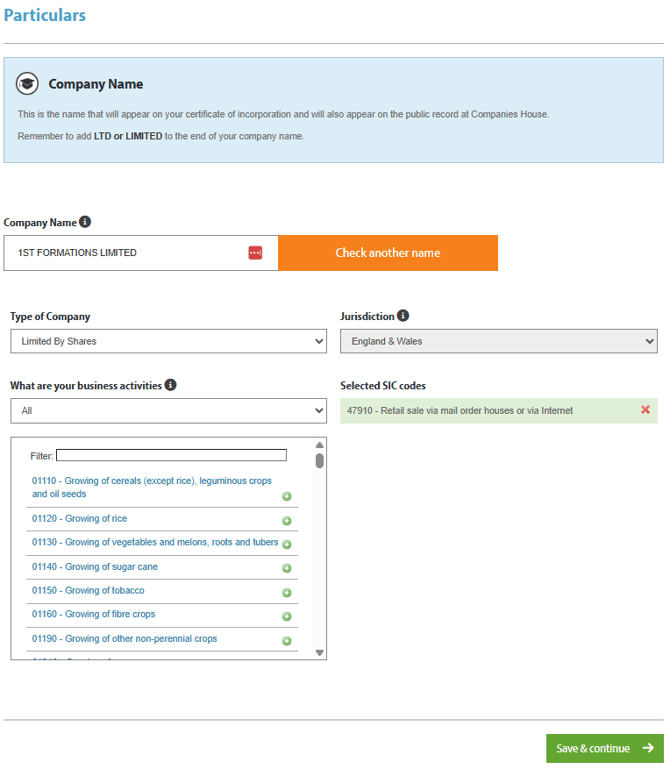
After completing this section, click “Save & Continue.”
Contact & Address Details
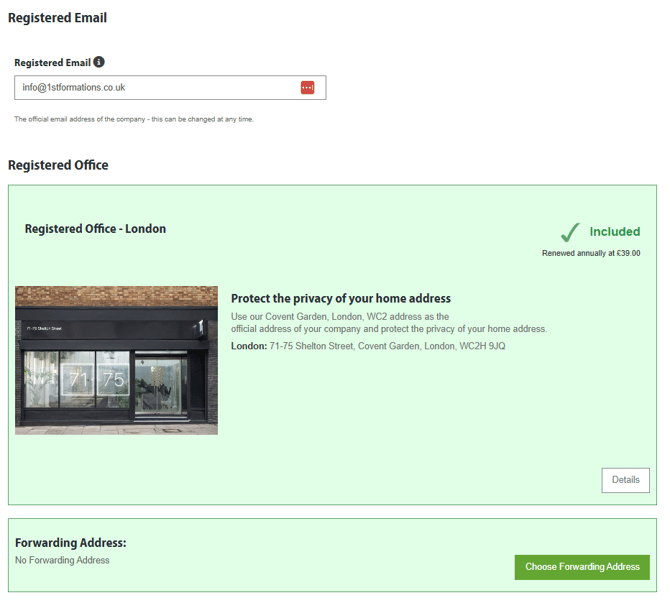
Companies House Contact Email
Provide the best email address for official correspondence.
- This can be a personal or business email
- You can update it after formation if needed
Registered Office Address
Select your company’s registered address. If your package includes an address service, you must also provide a forwarding address.
- This is where non-scannable mail will be sent
- This address is not publicly visible
Business Address (if included)
Repeat the same process if your package includes a business address service.
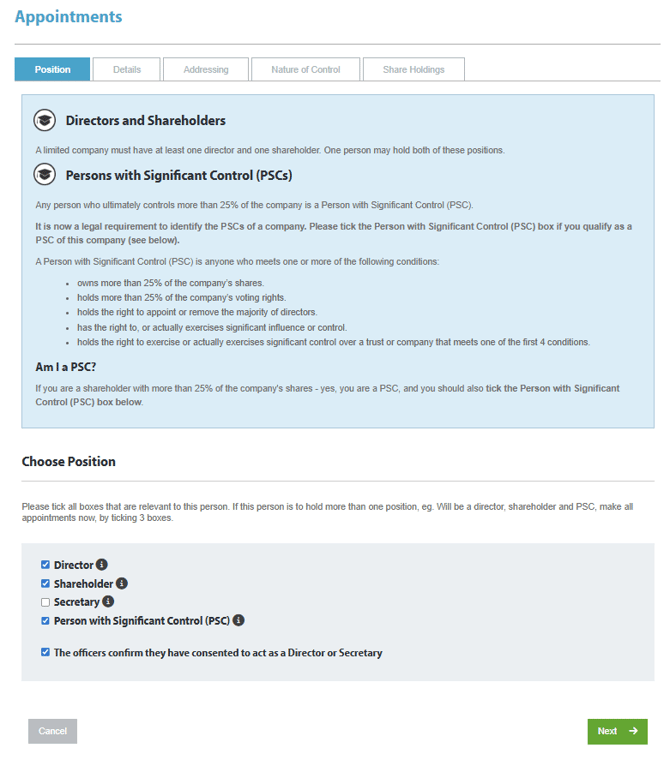
Appointments
You must appoint the necessary company roles. Every company must have at least:
- 1 Director
- 1 Shareholder
- 1 Person with Significant Control (PSC)
👉 One person can hold all these roles.
👉 A company secretary is optional.
Select Add Officer to provide an officer's details.
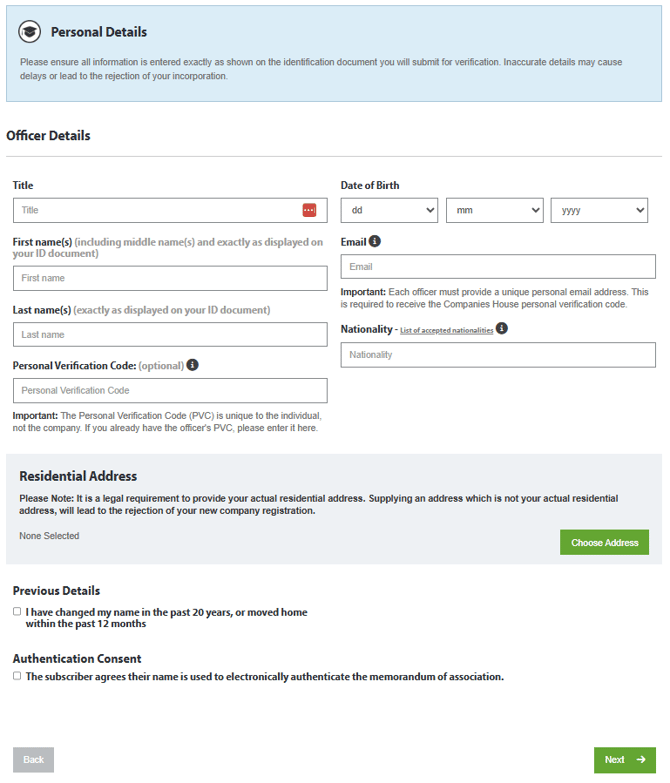
Officer Details
Provide accurate personal information for each officer.
- Details must match official ID documents
- Errors may delay your application
Privacy Notes:
- Residential addresses are not publicly visible if your package includes address services
Service Address
Provide a service address or assign a forwarding address if included in your package.
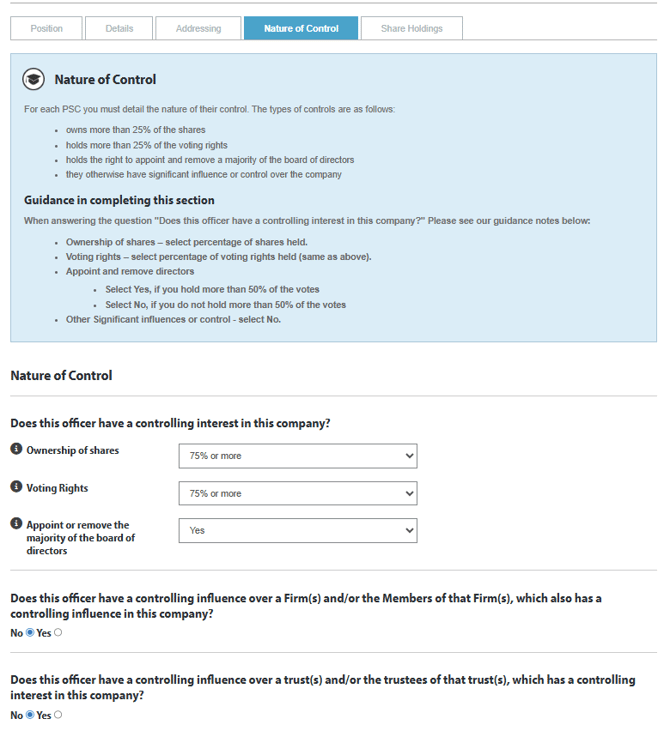
Nature of Control (PSC)
This section reflects ownership and control of the company.
- Enter the percentage of shares and voting rights
- Shares and voting rights are typically the same
Guidance:
- If ownership is over 50% → Select “Yes” for the ability to appoint/remove directors
- If ownership is under 50% → Select “No”
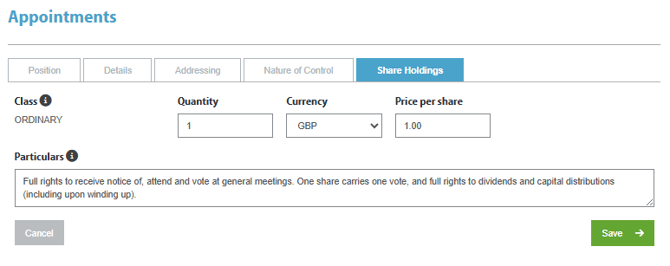
Shareholding
Specify how many shares each person owns.
- This is per individual, not the company total
- Common setups:
- 1, 10 or 100 shares
- £1, £0.10, or £0.01 per share
Limits:
- Maximum 10,000 shares
- Maximum £10,000 total share capital
After saving, you’ll return to the Appointments page where you can:
- Add more officers, or
- Continue to the next step
Business Essentials
You may optionally:
- Add a business banking referral
- Select additional services
Review & Submit
Carefully review all information before submitting.
- Check for spelling errors and accuracy
- Ensure all required fields are completed
Once ready, click “Submit Application.”